



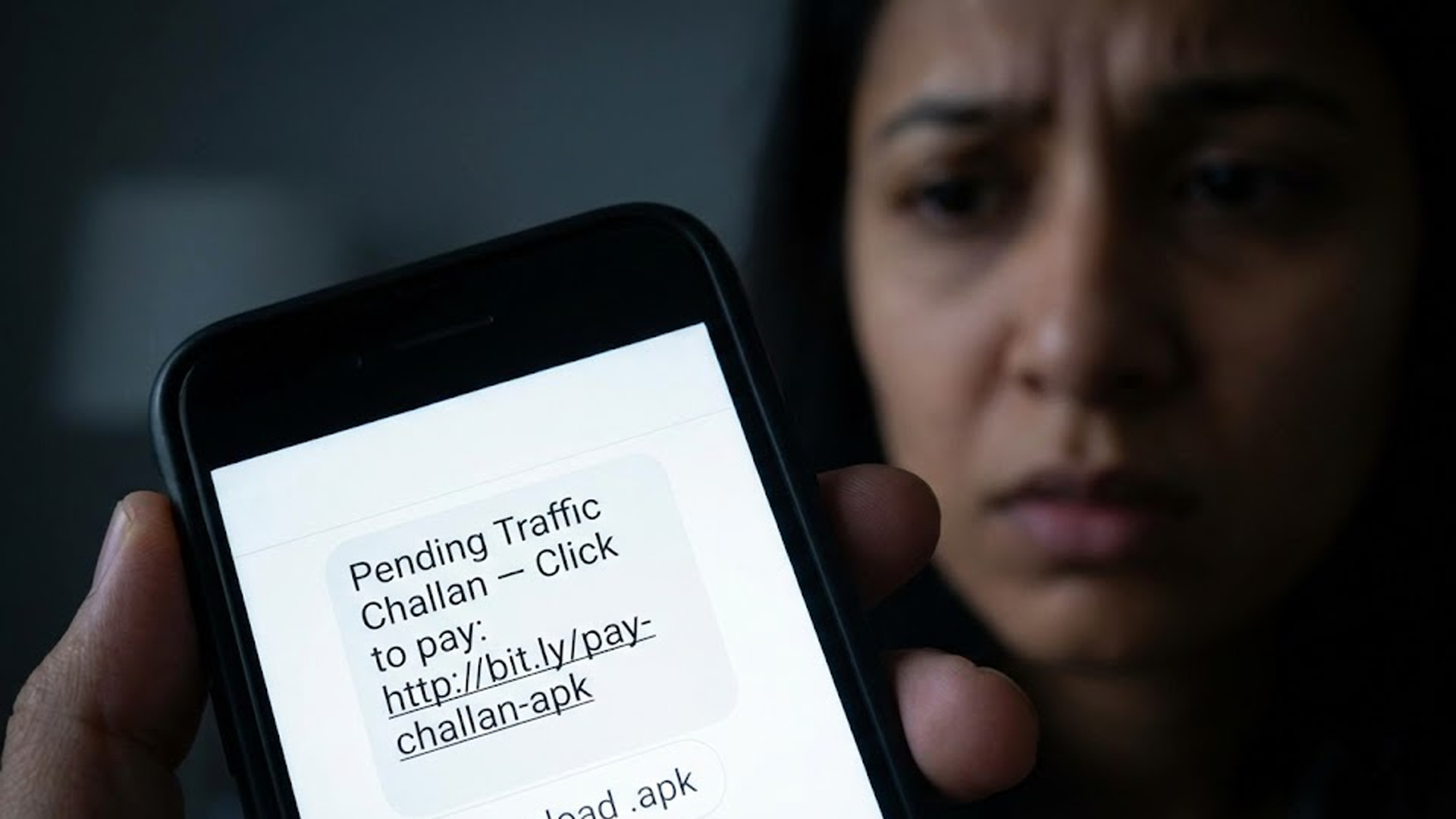
As cyber-fraudsters ramp up new tricks across India’s capital region, vehicle-owners in Delhi-NCR have been warned — the apparent convenience of “pending traffic challan” SMSes or WhatsApp alerts may be a trap. The Delhi Police (DP) has issued a sharp advisory against opening or acting on such messages, which carry malicious APK links disguised as “official e-challan notices.”
What’s the Scam?
Recently, thousands of residents reportedly received messages — via SMS or WhatsApp — claiming they have a pending traffic challan. The message instructs recipients to download an APK file (for example titled “RTO CHALLAN.apk”) for details or payment. The download link often seems convincing, sometimes even displaying a legitimate-looking vehicle number or fine amount.
However, once the APK is installed, it unleashes malware that can infiltrate private data on the phone — including contacts, banking apps, SMS, and OTPs. Victims have reported unauthorized UPI transactions, theft, and serious privacy breaches.
As a public-safety measure, Delhi Police emphasize: no legitimate traffic challan or e-challan notice is ever sent via APK download links or random WhatsApp/SMS messages. Official challan communications come only through verified SMS sender IDs or legitimate government portals.
Why Are People Falling for It?
- The messages employ urgency and fear: citing “pending fines,” “overdue challans,” or “last-chance payment,” which pressures people to act fast.
- Many links include real or plausible vehicle numbers and challan amounts — increasing credibility.
- The disguise is convincing: the fake APK often uses names referencing official terms like “RTO,” “e-Challan,” or “Traffic Fine,” making them appear legitimate.
What Authorities Are Saying
Delhi Police have formally urged all residents to be vigilant and take preventive steps:
- Do not click on any suspicious links or download files sent through SMS/WhatsApp alleging to be challans.
- Verify challan status only via official channels — such as the Parivahan Portal (echallan.parivahan.gov.in) or the official traffic-police website / app.
- If you receive such messages, delete them immediately. If you have unknowingly downloaded anything, disconnect your phone (airplane mode), uninstall the file, run a full security scan, and change banking passwords using a secure device.
- Report suspicious messages to the cyber-crime helpline (for instance, via the national cyber-crime portal or local police).
What This Means for Delhi-NCR Residents
For any vehicle owner in Delhi or surrounding NCR areas, the recent surge in such scams highlights a serious cybersecurity threat. In a digital world where mobile phones double as banking devices, even a moment’s carelessness can lead to financial loss or identity theft.
Moreover, as the scam grows more sophisticated — with fraudsters pulling real vehicle numbers from databases to lend authenticity — everyday vigilance becomes vital. People must treat unsolicited “traffic challan” notifications with suspicion, even if they appear professional.
Advice for Citizens
To stay safe, keep the following tips in mind:
- Always double-check the source: legitimate government messages come from official sender IDs or official domains, not via “.apk” files.
- Never install any application outside official stores (Google Play Store or App Store) — especially if prompted by a suspicious SMS or WhatsApp message.
- Regularly update your phone’s OS and enable security features like “Install from Unknown Sources” disabled, Google Play Protect, and strong, unique passwords.
- Monitor banking SMS alerts and UPI notifications; if you notice unauthorized transactions, contact your bank immediately and change credentials.
- Spread awareness among friends and family, especially older people who may be more susceptible to such phishing attempts.